
One platform. Idea to app store.
Build cross-platform apps with AI assistance, visual editing, live preview, full code access, and publishing built in.
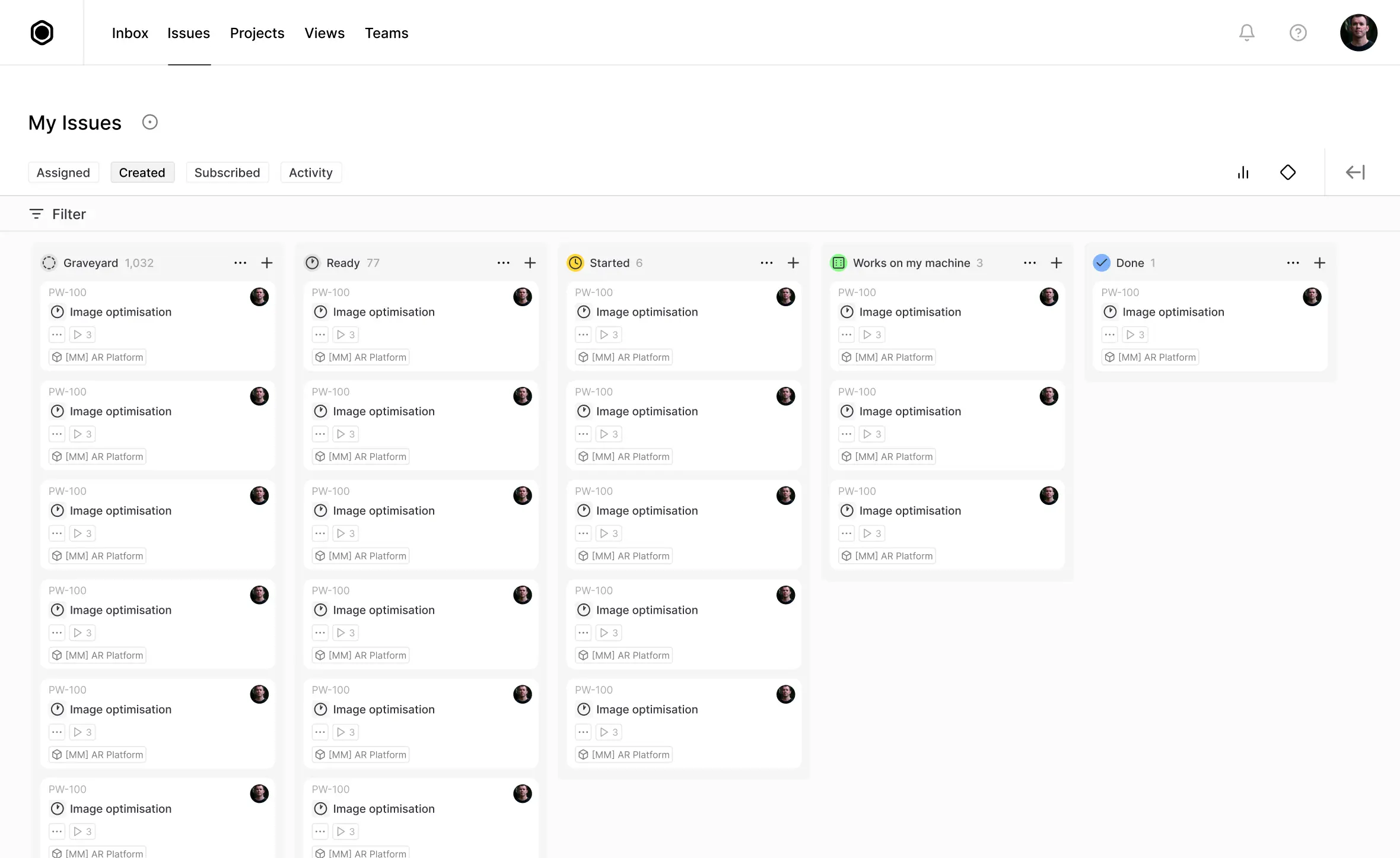
Workflow Overview
Everything you need to build, ship, and improve your app
Draftbit covers the whole workflow, not just the first draft.
AI to app changes
Turn prompts into usable screens, flows, and project structure without starting from scratch.



Visual and code editing
Work visually when it is faster, then drop into the code when the details get specific.


Preview and testing
See changes quickly, validate behavior, and catch issues before they become release blockers.
Publishing and teamwork
Ship to web, iOS, and Android while keeping collaboration, access, and launch workflows aligned.
AI Agents
Describe what you want. Draftbit gets to work.
Draftbit's AI is built into the app workflow itself. Start from a prompt, make targeted changes inside a real project, choose the models that fit your team, and save instructions that make future work more consistent.
What this helps with
Start with a promptMove from idea to first working structure faster.
Work inside a real projectMake changes where the app is actually being built.
Choose the right modelUse the models and agent setup that fit the task.
Save project instructionsTurn one-off prompting into a more repeatable workflow.
Get unstuck fasterUse AI to clear setup work and implementation friction.
Agent workspace inside DRAFTBIT
Visual Editing
Build interfaces visually. Stay precise.
Move quickly on screens, styles, and structure without giving up control underneath.
Build screens visually
Design screens, edit properties, and move faster on UI without losing track of the real project.

Target exactly what you want to change
Click the exact element you want to update instead of describing it vaguely.
Reuse components and styling
Create reusable building blocks and keep themes and visual decisions more consistent.
Code Ownership
Full code access. No black box.
Go visual when it's faster. Go to code when it matters.
Built-in code editor
Edit real project files directly when visual changes stop being enough.
Exports and handoff
Keep the source portable when engineering needs to take the work further.

History and rollback
Compare changes, recover working states, and move faster with less risk.
Preview and Debugging
See every change as you make it.
Preview your app in real time, test across devices, and debug problems earlier.
Live preview
See your app update as you work so layout, behavior, and content are easier to validate.
Logs and compare views
Inspect behavior, compare states, and narrow down issues without leaving the workflow.

Simulators and device testing
Use browser-based device previews and tighter feedback loops before a release gets expensive.
Cloud sandbox
Run code in an environment that is closer to the actual app so debugging happens earlier.
Integrations and MCP
Connect your stack. Keep your stack.
Draftbit works with the systems you already use instead of forcing you into a new backend.

Publishing
Publish to web, iOS, and Android from one workflow.
One codebase. Multiple platforms. Less release friction.
iOS and Android
Move from builder to native release without switching into a different toolchain.
View plansTeam Collaboration
Build together. Ship as a team.
Move from solo work to shared execution without changing tools.
What teams need
Shared workspacesInvite teammates into the same project context.
Roles and ownershipManage who can edit, review, and publish.
Cross-functional handoffSupport product, design, and engineering in one workflow.
Shared agent defaultsStandardize how the team works with AI inside the project.
Less tool switchingKeep the team aligned around one build surface.
Shared work inside DRAFTBIT
Human Help
You're not on your own when the hard part shows up.
Use AI when it helps. Bring in real people when the issue is stubborn, technical, or launch-critical.
Docs and Guides
Use docs when you need the fast answer and examples that match the product.
Email Support
Escalate real issues instead of getting stranded in a generic help loop.
Priority Help and Training
Get more hands-on support on higher tiers when your team needs it.
Expert Backup
Useful for debugging, publishing, final polish, and the last mile to launch.
Final CTA
Start building. Keep control. Ship when you're ready.
Try Draftbit free, then grow into code access, publishing, collaboration, and deeper support as your app gets real.
Trusted by product builders
Draftbit is built on the habits that make the best product teams successful: staying focused, moving quickly, and always aiming for high-quality work.
Meet our customersWe're misusing Draftbit as a CRM and it still works!
I was able to replace 80% of my team with Draftbit bots.
Founder Mode is hard enough without having a really nice PM app.
I can use the tool as a substitute from my PM.
We're misusing Draftbit as a CRM and it still works!
I was able to replace 80% of my team with Draftbit bots.
Founder Mode is hard enough without having a really nice PM app.
I can use the tool as a substitute from my PM.